 柠檬班
柠檬班 Jenkins 持续输出 reportNG 测试报告
本文目录
在你的maven工程下,pom.xml引入 manven-surefire插件 这样你当前工程可以使用mvn test mvn clean mvn build 命令 运行maven工程 在命令提示符下 在jenkins下.
前置条件
整体思路,每次构建完的任务, 在jenkins配置目录下workspace都会生成对应任务新的reportNG报告,我们只是把这个文件部署到http服务部署出去
在你的maven工程下,pom.xml引入 manven-surefire插件
这样你当前工程可以使用mvn test mvn clean mvn build 命令 运行maven工程 在命令提示符下 在jenkins下.
	<build>
		<plugins>
			<!-- 实现方式:集成maven的surefire插件, Surefire插件用于Maven项目的test阶段,以执行单元测试。
			集成后我们就可以通过maven命令 maven test 来调动脚本执行了。
			 -->
			<plugin>
				<groupId>org.apache.maven.plugins</groupId>
				<artifactId>maven-surefire-plugin</artifactId>
				<version>2.7.1</version>
				<configuration>
					<systemPropertyVariables>
						<org.uncommons.reportng.escape-output>false</org.uncommons.reportng.escape-output>
					</systemPropertyVariables>
					<testFailureIgnore>true</testFailureIgnore>
					<argLine>
						-Dfile.encoding=UTF-8
					</argLine>
					<suiteXmlFiles>
						<suiteXmlFile>testng.xml</suiteXmlFile>
					</suiteXmlFiles>
				</configuration>
			</plugin>
		</plugins>
	</build>
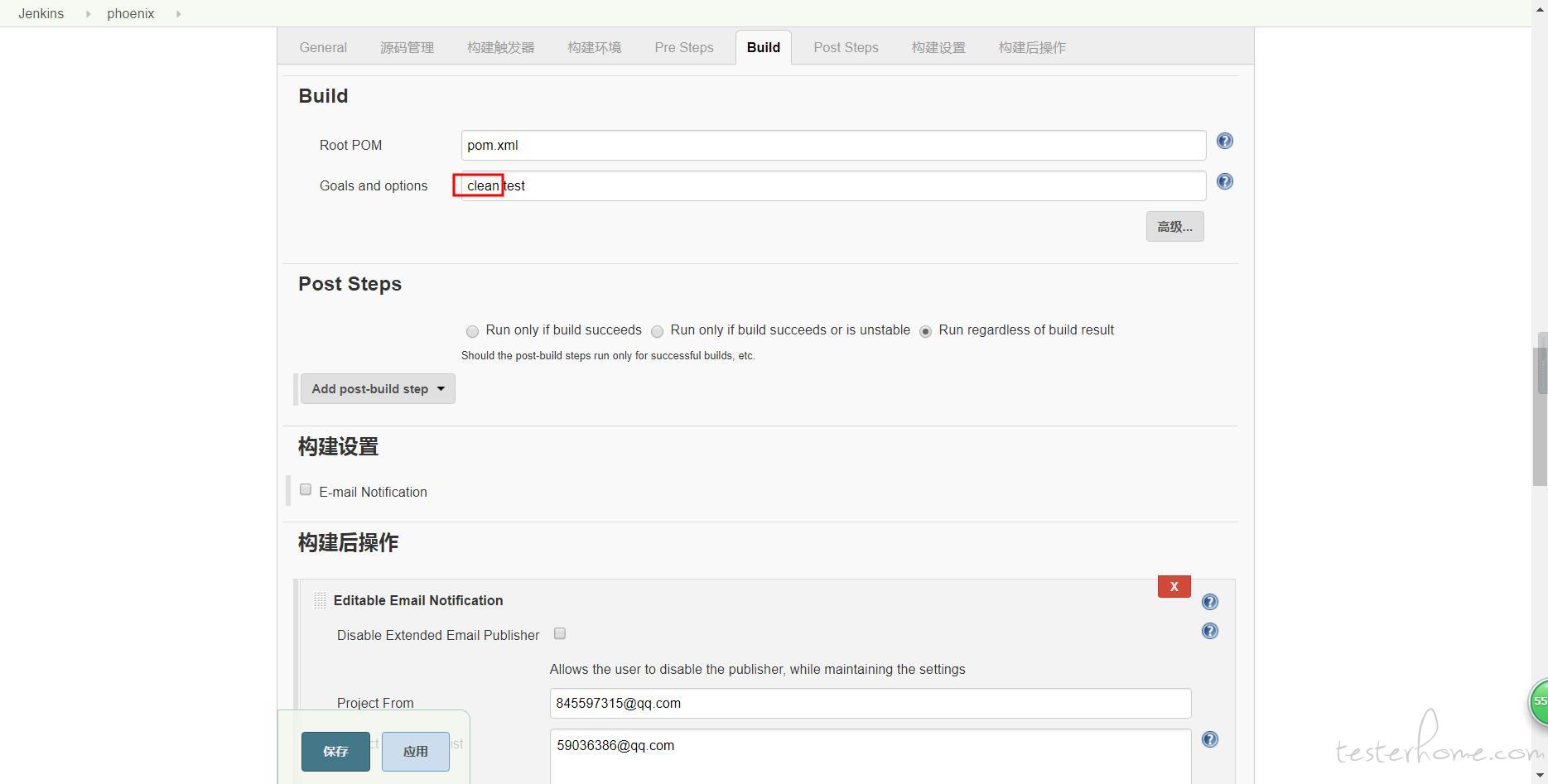
jenkins新建任务 构建一个maven工程 ,完成源码托管,完成Build配置,Build里clean test 两个命令即可完成整个工程的先clean后test,不依赖eclipse、IDEA去执行用例
reportNG报告
每次执行完构建在target目录下生成新的reportNG报告
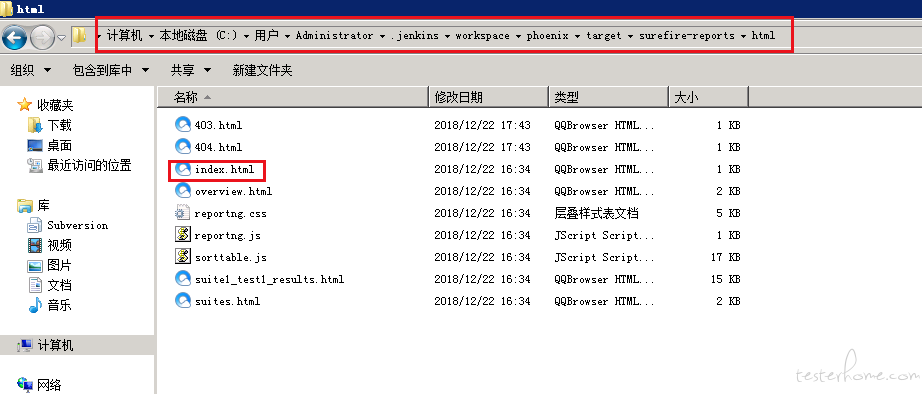
执行clean会把 用户目录下 .jenkins/workspace/phoenix/target 编译目标文件夹 执行test命令会在用户目录下 .jenkins/workspace/phoenix/生成target 文件夹
apache新增一个站点,展示reportNG报告
apache添加一个站点用来专属测试报告展示(怎么一个apche部署多个站点,这个网上找下解决方案)
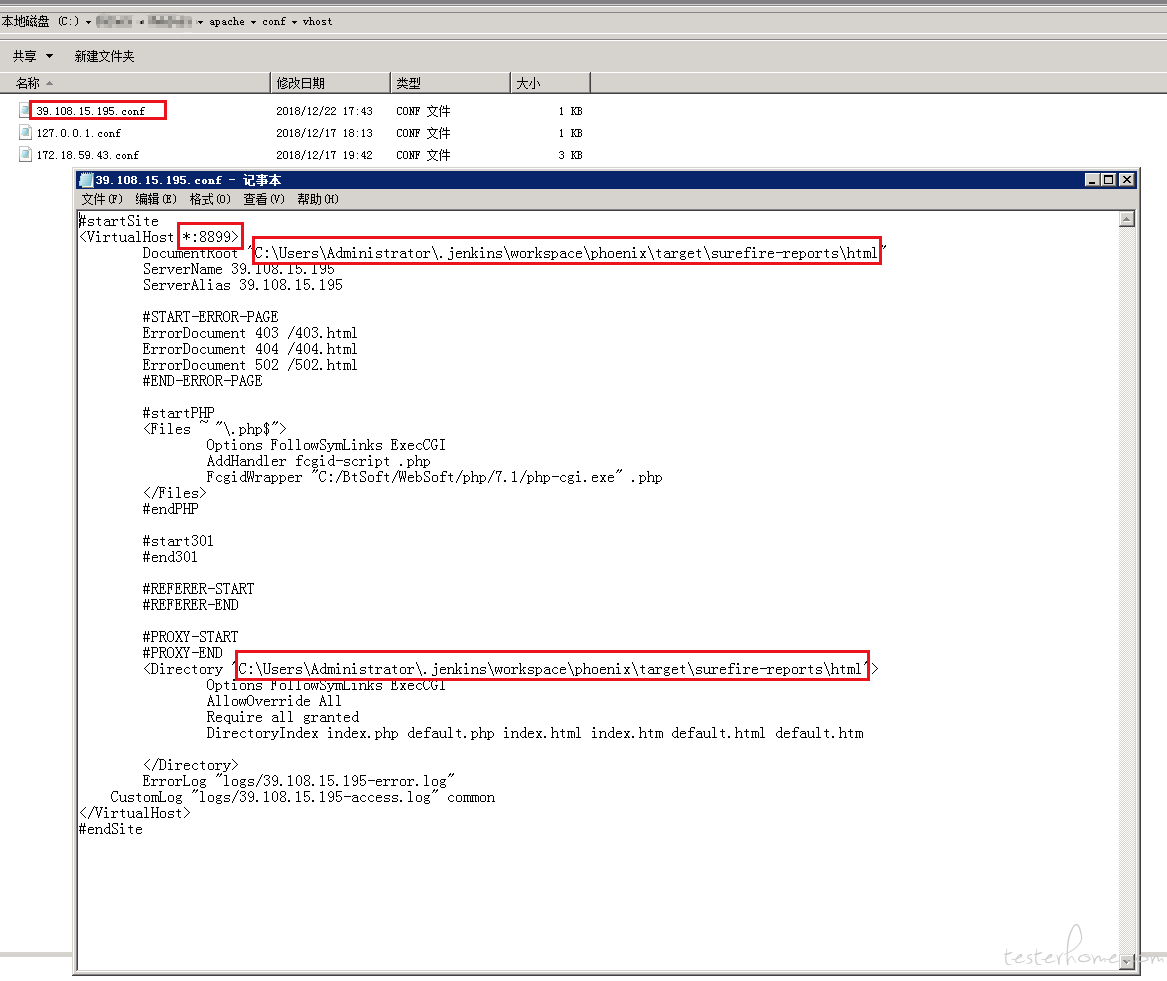 这里的路径指向reportNG报告文件路径
DocumentRoot "C:\Users\Administrator\.jenkins\workspace\phoenix\target\surefire-reports\html"
<Directory "C:\Users\Administrator\.jenkins\workspace\phoenix\target\surefire-reports\html">
这里的指定访问端口
<VirtualHost *:8899>
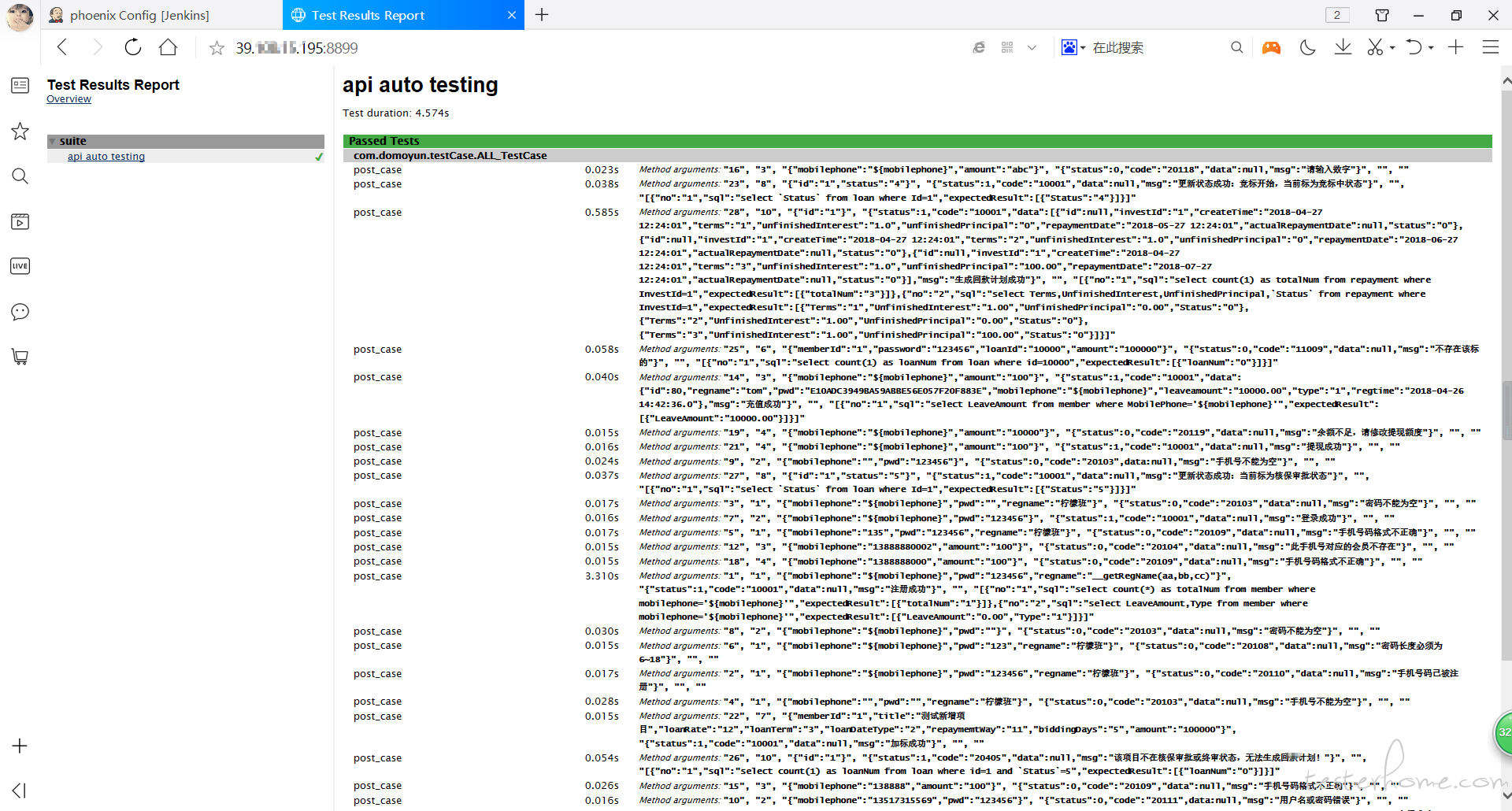
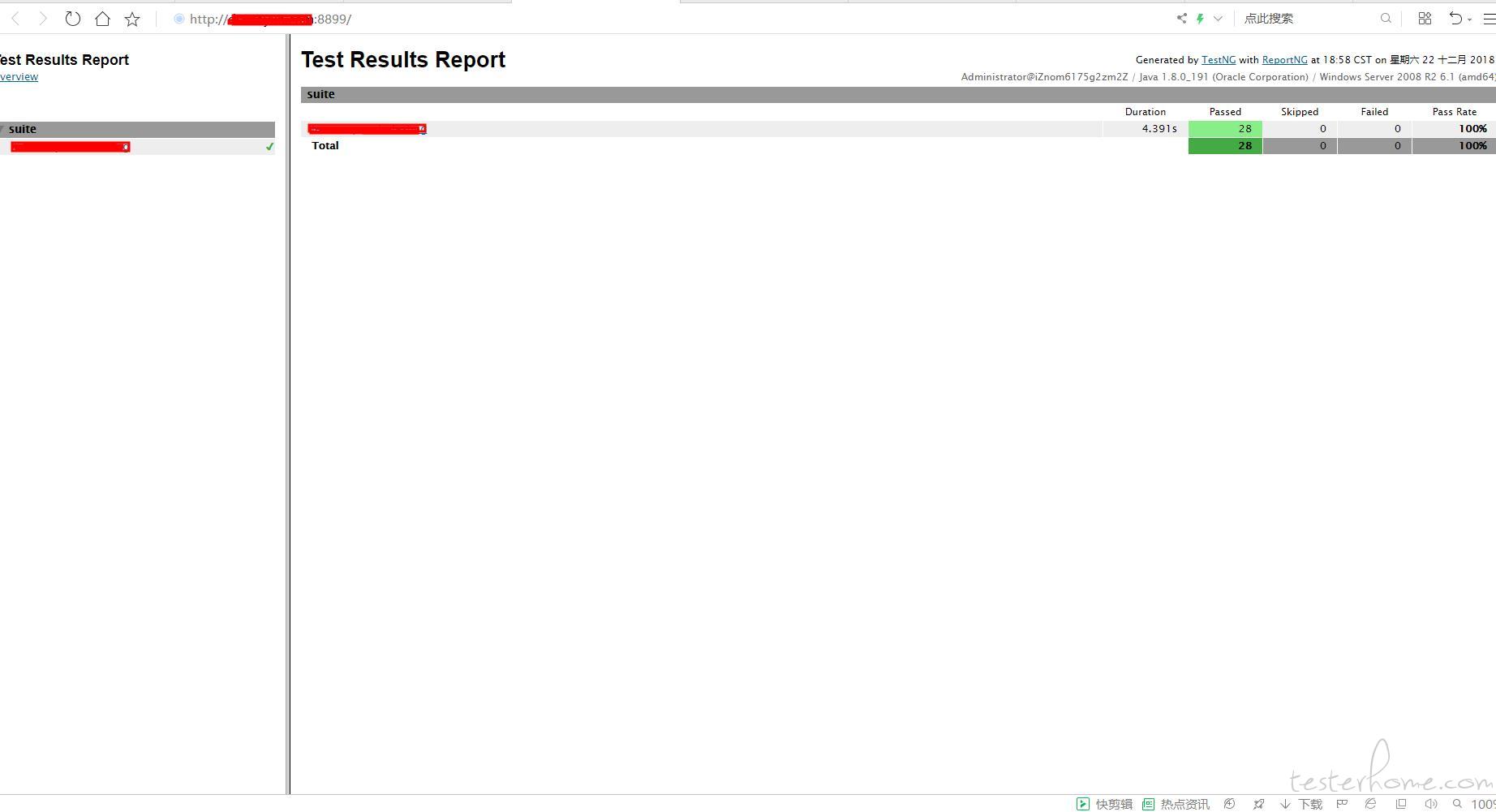
部署成功后,重启apache就可以访问 http://localhost:8899 -> C:\Users\Administrator.jenkins\workspace\phoenix\target\surefire-reports\html\index.html
部署成功后,外网访问
邮件通知
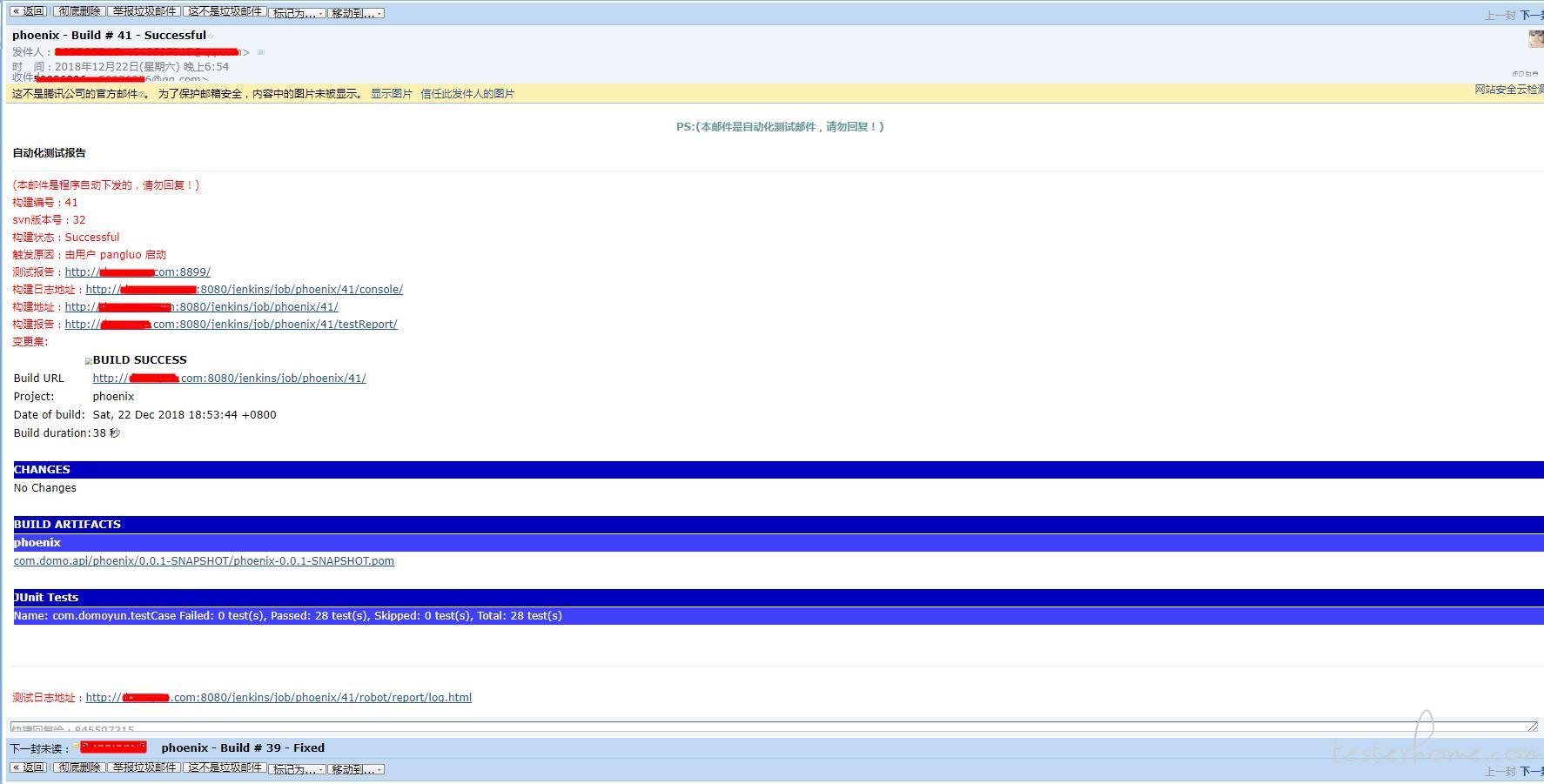
jenkins项目邮件通知里,重新修改下测试报告路径
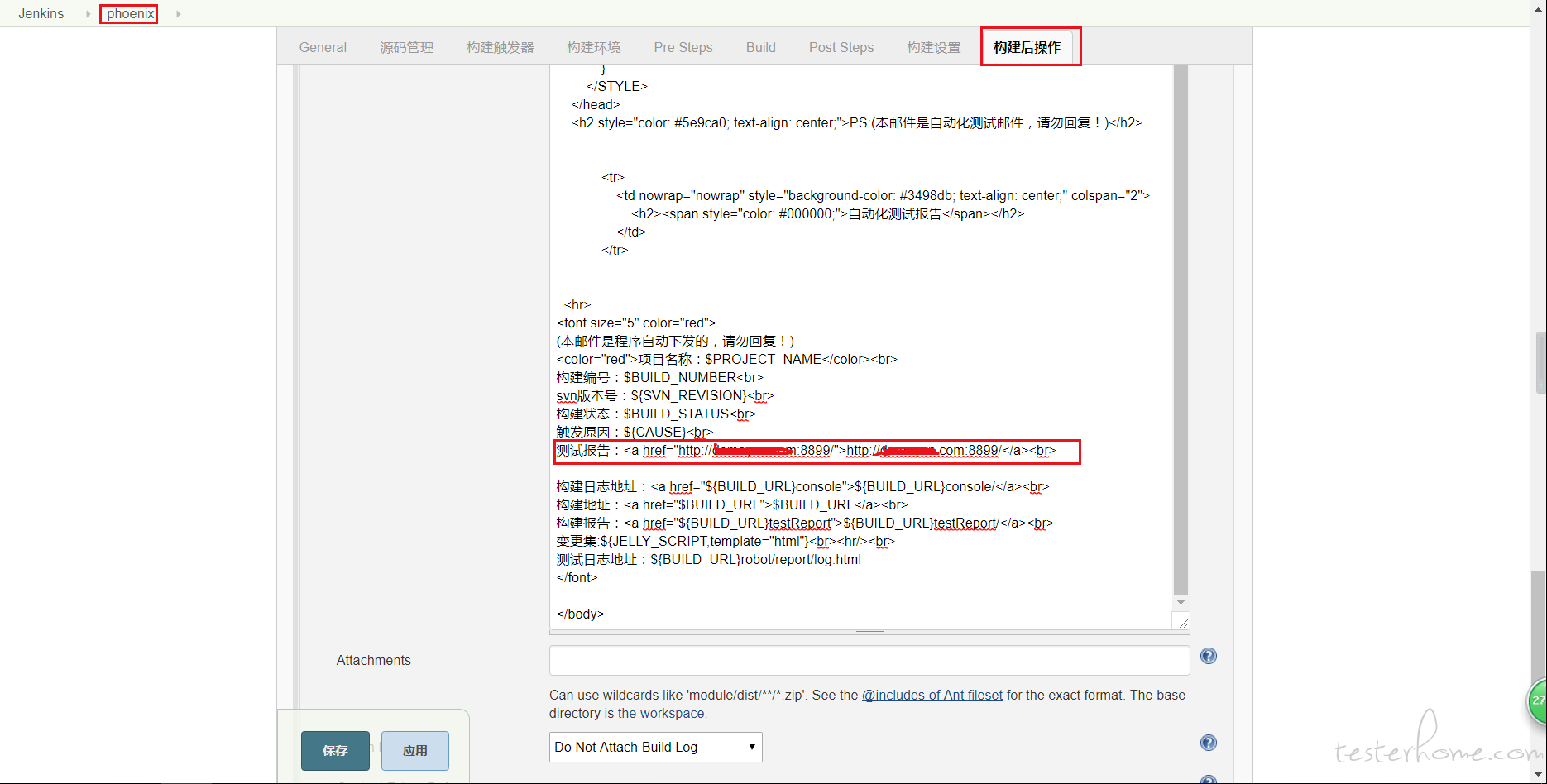
测试
再重新构建试一试
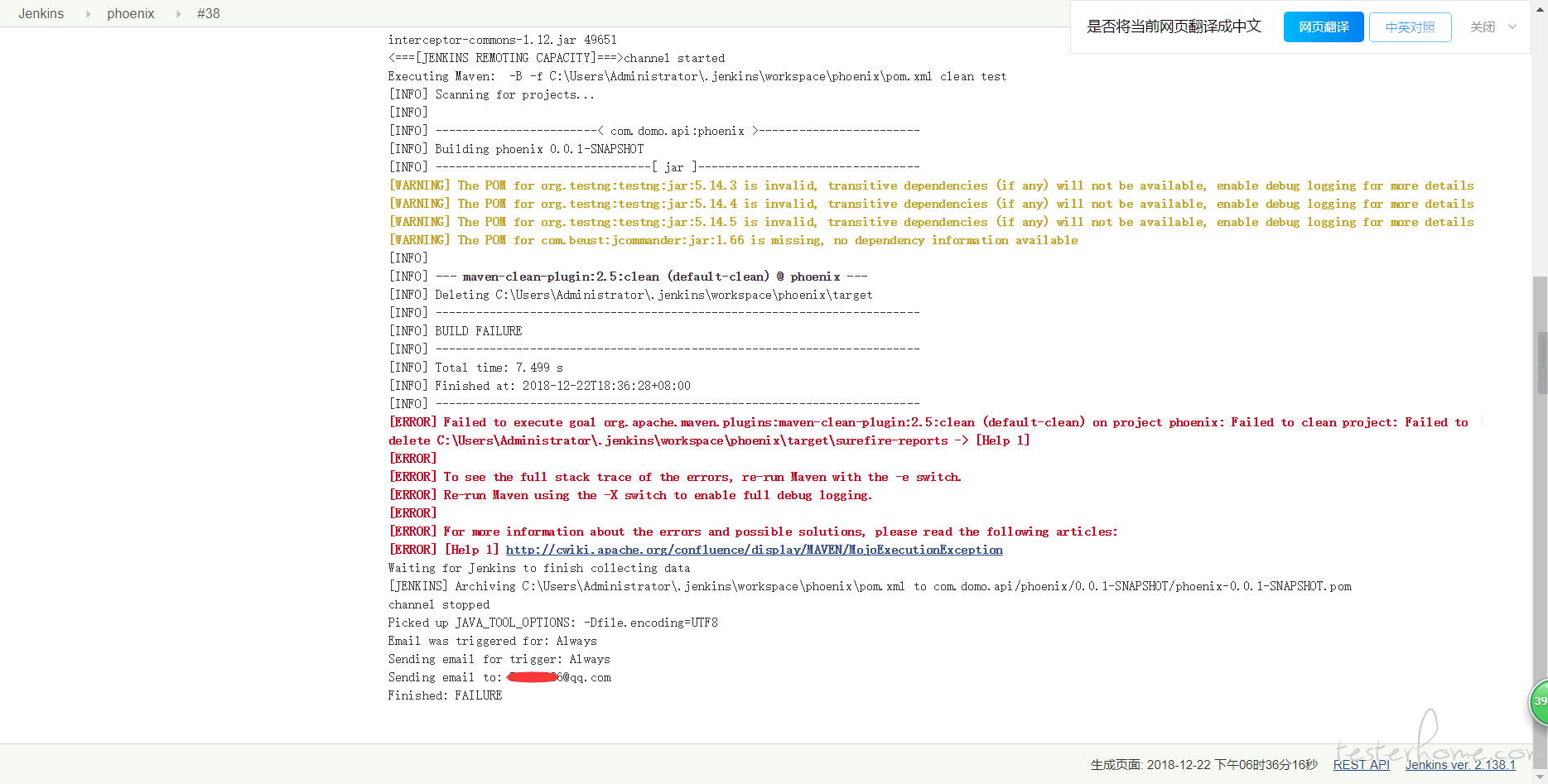
[ERROR] Failed to execute goal org.apache.maven.plugins:maven-clean-plugin:2.5:clean (default-clean) on project phoenix: Failed to clean project: Failed to delete C:\Users\Administrator\.jenkins\workspace\phoenix\target\surefire-reports -> [Help 1]
[ERROR]
[ERROR] To see the full stack trace of the errors, re-run Maven with the -e switch.
[ERROR] Re-run Maven using the -X switch to enable full debug logging.
[ERROR]
[ERROR] For more information about the errors and possible solutions, please read the following articles:
[ERROR] [Help 1] http://cwiki.apache.org/confluence/display/MAVEN/MojoExecutionException
不能清除.jenkins\workspace\phoenix\target\surefire-reports,被apache服务占用了
如果你知道解决方法麻烦告诉我。
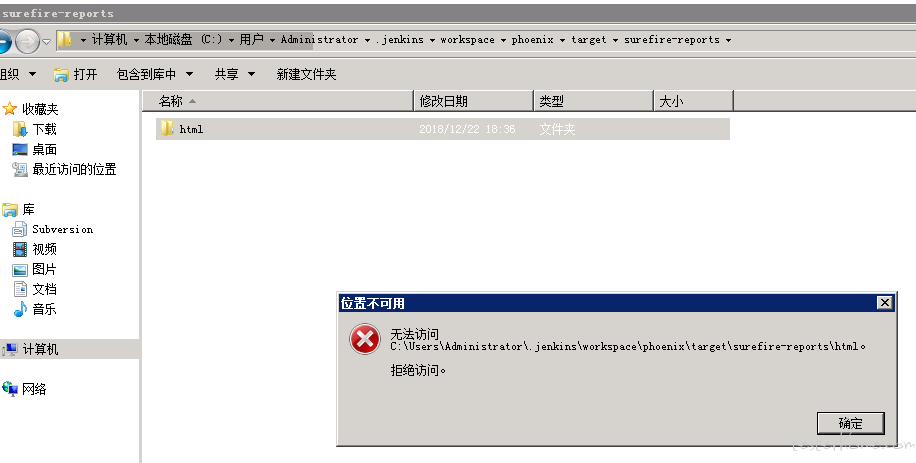
既然clean不了, 任务Build里就不clean,不影响结果
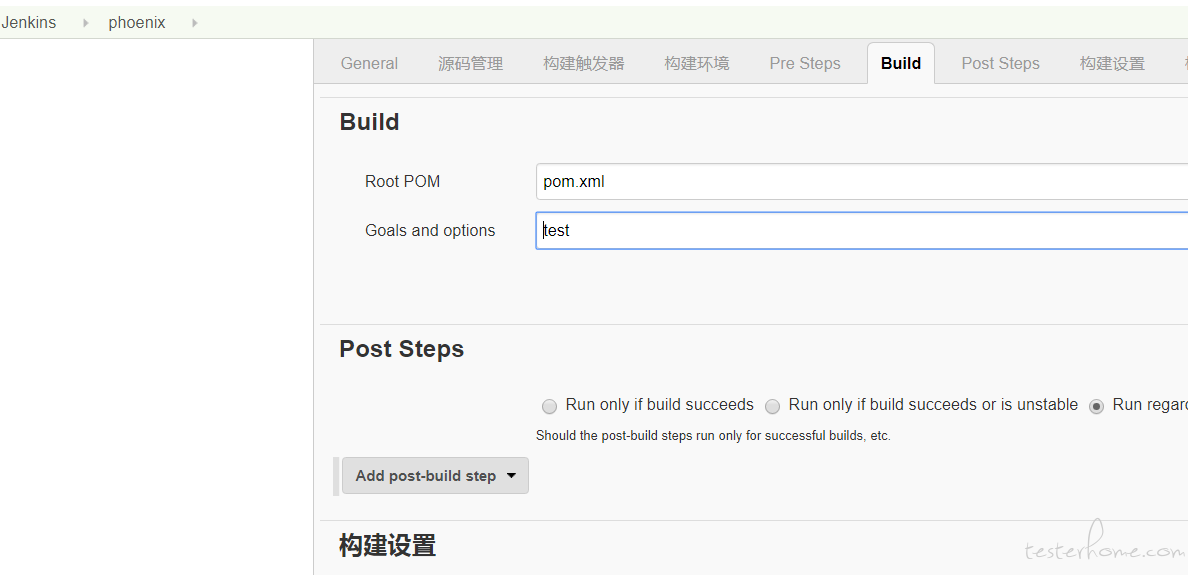
那要下次要clean 怎么办?我只能说需要clean的时候,构建任务Build里,添加clean,构建一遍后,再改回。
构建,测试下邮件。
每次构建后都是最新report
来源:testingpai