 柠檬班
柠檬班 pycharm 小技巧 ---httpclient, 测试开发的不二选择!!
title: pycharm小技巧---httpclient date: 2019-12-9 12:10:40 tags: [tools]
title: pycharm小技巧---httpclient date: 2019-12-9 12:10:40 tags: [tools]
简介
工具中无论是测试还是开发,我们常常使用postman类似的工具来辅助我们发送http请求完成相应的工作,今天我们介绍在开发过程中使用pycharm完成http的请求发送!
1.利用requests库完成http请求发送
发送一个get请求
import requests
url = 'http://www.baidu.com'
response = requests.get(url=url)
if response.status_code == 200:
    print(response.content)
发送一个form表单
# 2.发送一个form表单请求
headers = {'Content-Type': 'application/x-www-form-urlencoded'}
FormData = {'project_id': 11}
data = parse.urlencode(FormData)
city = '北京'
access_token = 'abcxxxxx'
url = f'https://localhost/?access_token={access_token}'
response = requests.post(url+f'&city={parse.quote(city)}', data=data, headers=headers)
if response.status_code == 200:
    print(response.content)
封装成一个方法
def request_form_http(url: str, form_data: dict):
    headers = {'Content-Type': 'application/x-www-form-urlencoded'}
    data = parse.urlencode(form_data)
    response = requests.post(url, data=data, headers=headers)
    if response.status_code == 200:
        print(response.content)
2.利用httpie发送请求
不过这是一个命令终端工具,大家有兴趣的可以查看 https://httpie.org/
安装pip install httpie
3.利用pycharm自带的httpclient来代替postman
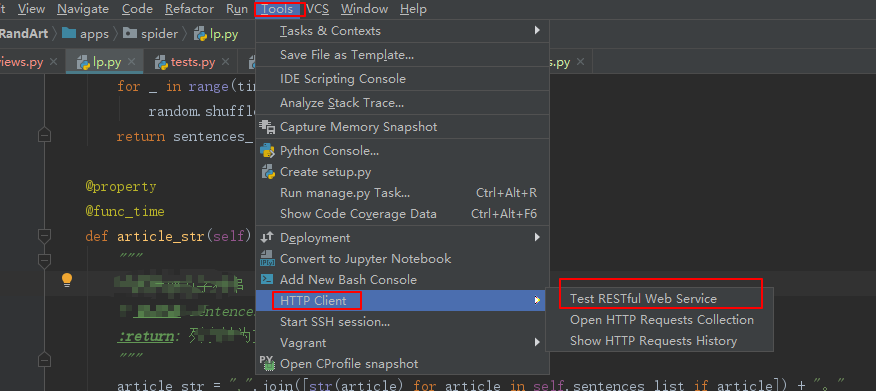
打开方式
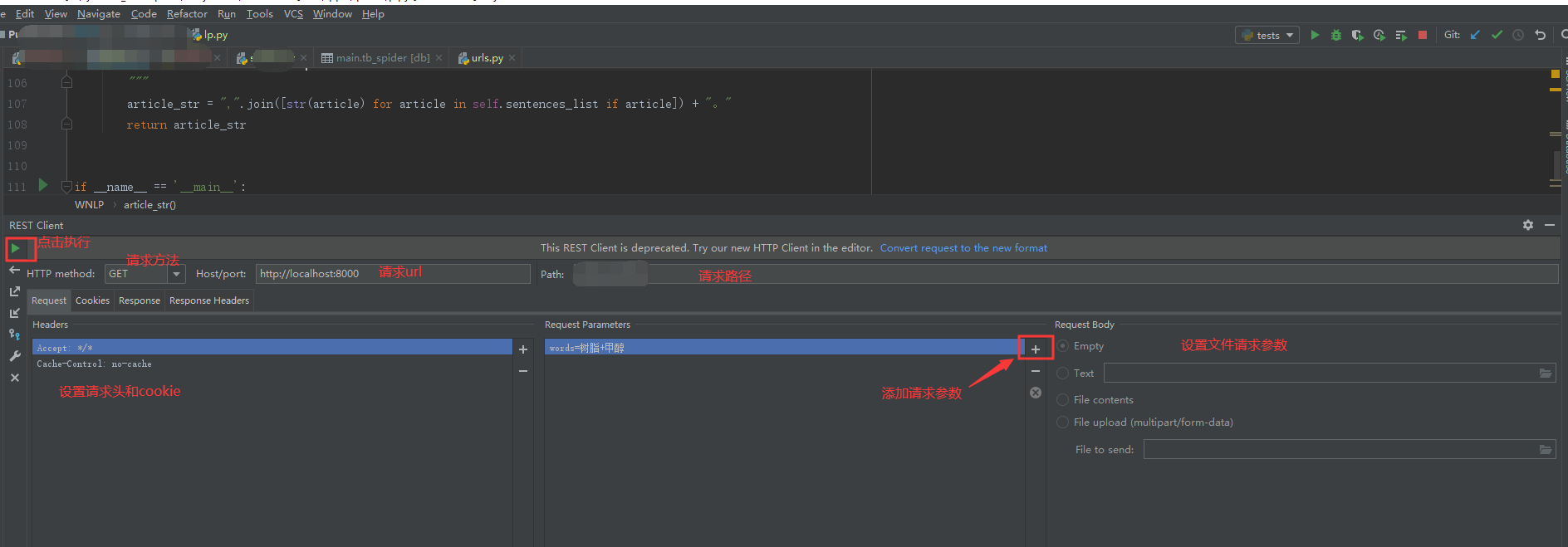
界面介绍
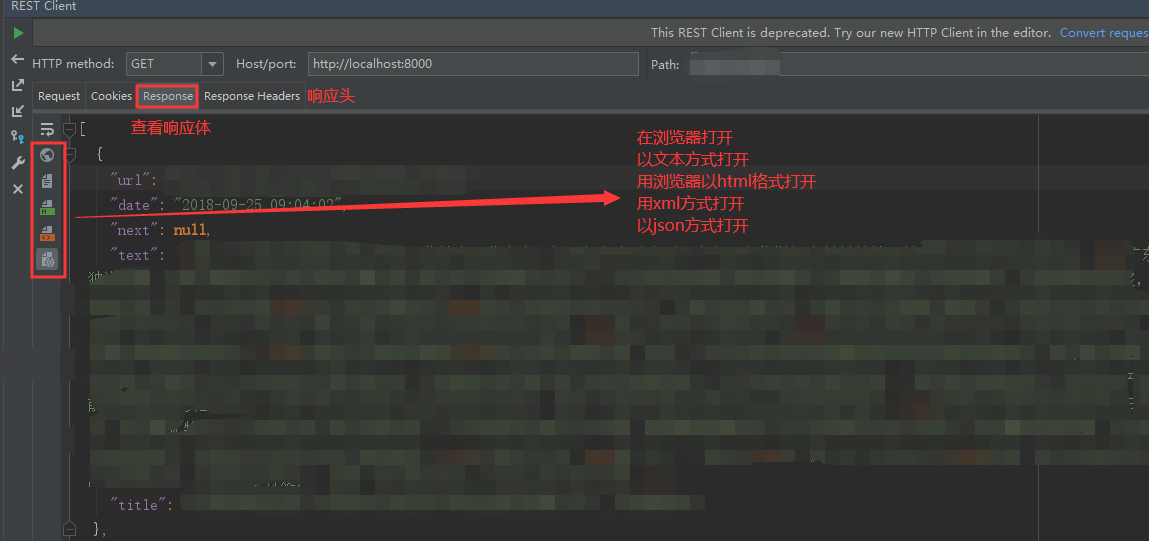
查看响应
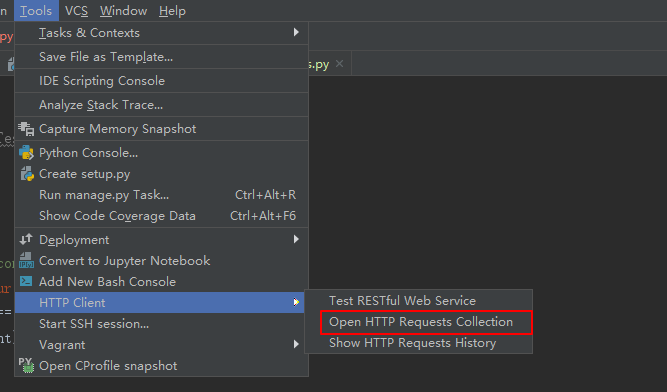
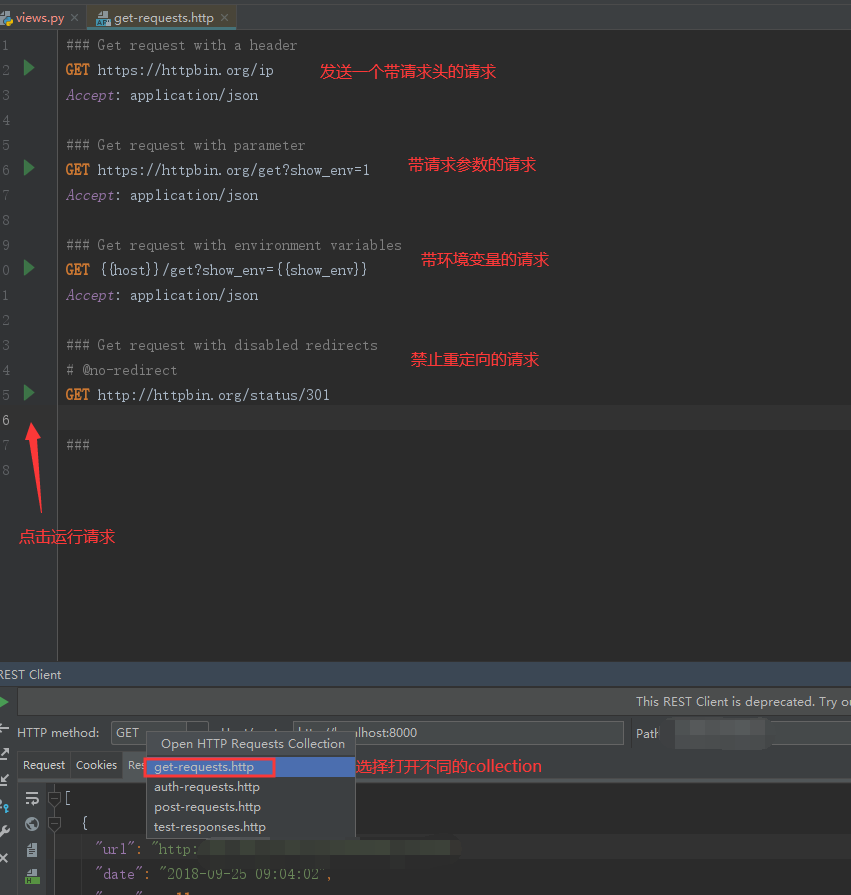
Http Requests Collection
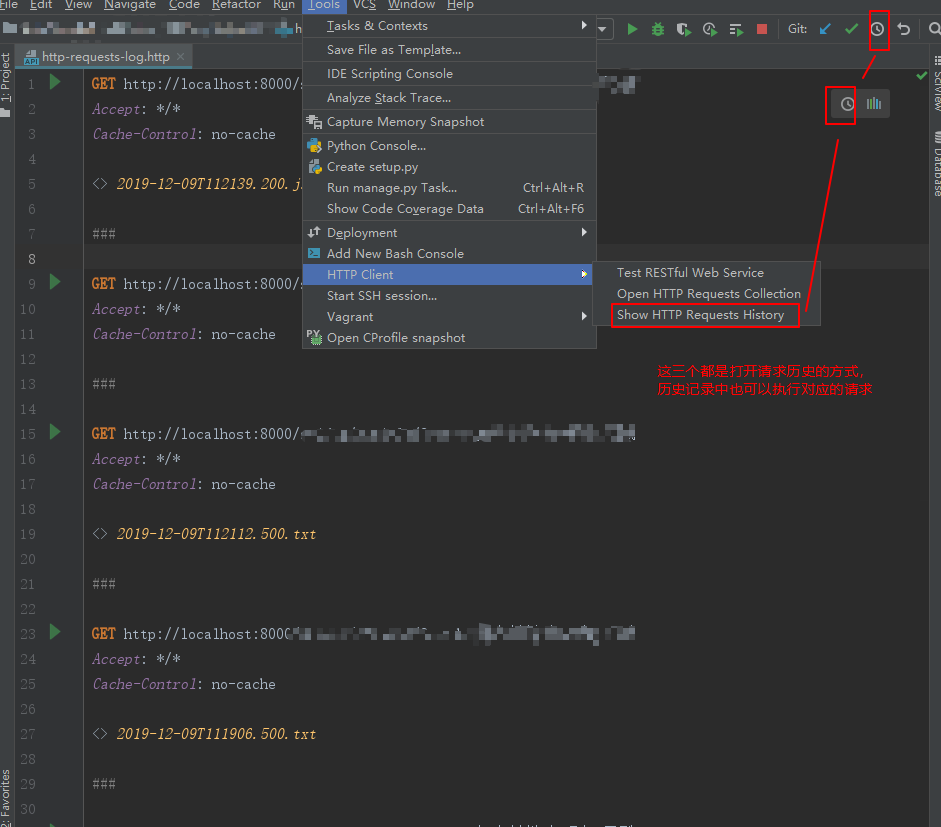
Http Collection History
总结
个人项目经验之谈,利用pycharm自带的httpclient帮助我们测试或者开发都是非常高效的选择!如果你想存放用例也是可行的,你们可以试试!
来源:testingpai